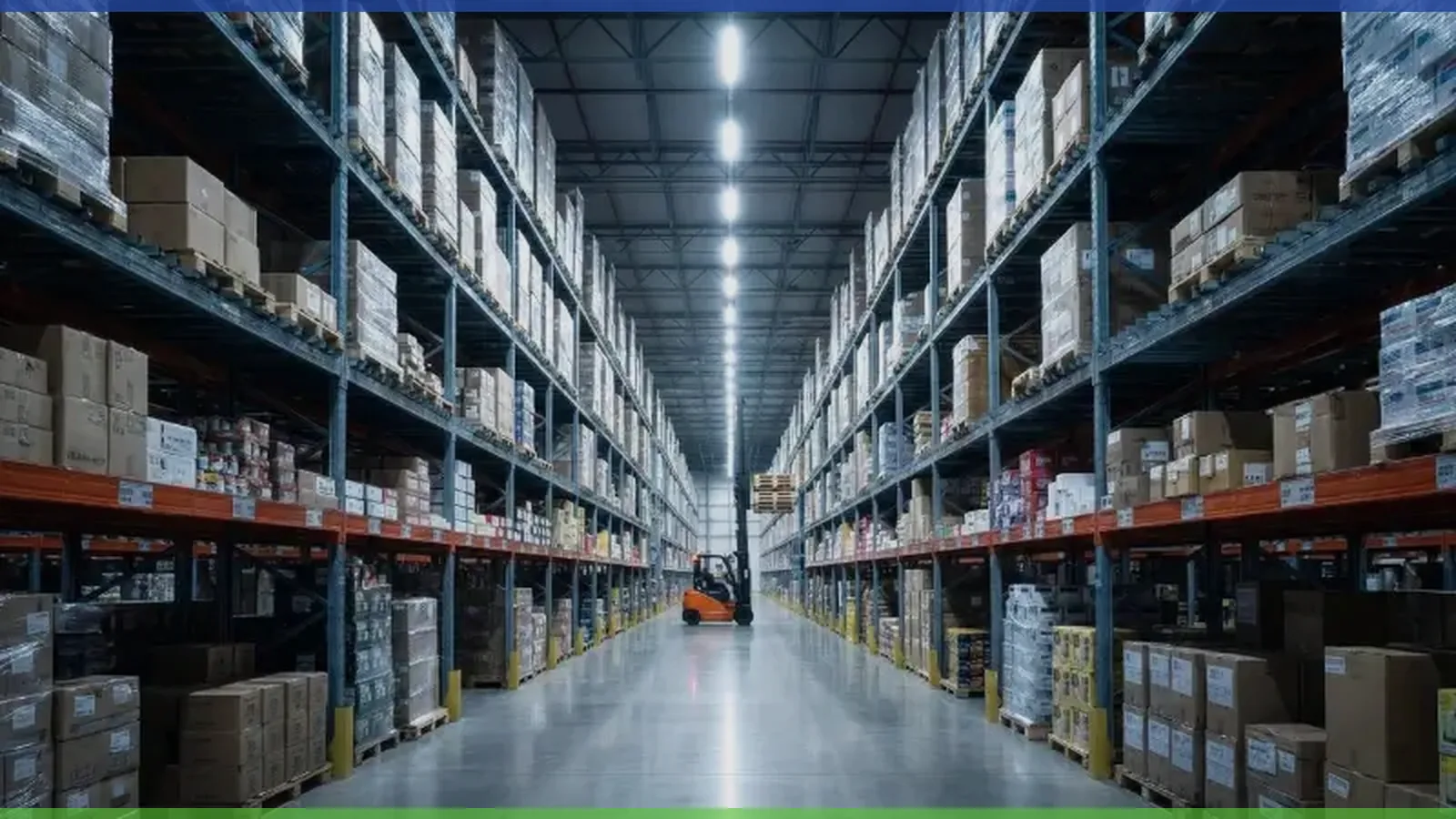
High-performance lighting plays a critical role in boosting barcode scanning accuracy inside a warehouse. Uniform and stable lighting increases visibility, allowing scanners to capture codes with greater precision. When lighting remains consistent, it reduces exposure problems and scan retries, which lifts operational efficiency. Modern warehouse managers focus on lighting systems that deliver quality illumination and enhance barcode scanning by eliminating shadows and improving contrast. Reliable lighting supports better read rates and keeps scanning performance at its highest level.
Key Takeaways
-
High-performance lighting boosts barcode scanning accuracy by providing uniform and stable illumination.
-
Flicker-free lighting prevents scanning errors, ensuring reliable performance and faster scans.
-
Using high-efficacy LEDs with a high Color Rendering Index improves contrast, making barcodes easier to read.
-
Motion sensors enhance energy efficiency and provide instant lighting, crucial for quick scanning tasks.
-
Regular maintenance of lighting and scanning systems keeps operations running smoothly and reduces errors.
Lighting Impact on Barcode Scanning Accuracy

Uniform Illumination and Shadow Elimination
Lighting conditions in a warehouse directly affect barcode scanning accuracy. Uneven lighting and shadows can cause scanners to miss codes or produce errors. When workers scan barcodes in dimly lit areas, the contrast drops, making it harder for devices to read information. Sunlight glare or reflections can also interfere with scanning performance, especially outdoors or near windows.
-
In a dimly lit parking garage, low light reduces the contrast of a QR code, leading to failed scans.
-
At an outdoor event, sunlight glare creates reflections on a barcode, making it difficult for users to scan successfully.
Modern LED systems address these challenges by providing high intensity and uniform coverage. These systems eliminate dark zones and ensure consistent visibility across all aisles. Low-glare illumination reduces discomfort for workers and improves read rates. Targeted optics, such as 60° or 90° lenses, focus intensity on work surfaces, increasing the effectiveness of barcode scanning.
The following table shows how different lighting scenarios impact scanning accuracy:
|
Scenario |
Impact on Scanning Accuracy |
Improvement Details |
|---|---|---|
|
Low-Light Warehousing |
25% increase in scanning speed during twilight hours |
Integration of laser scanners with enhanced sensitivity |
|
Outdoor Operations |
Consistent performance under varying natural lighting conditions |
Deployment of scanners with adjustable sensor thresholds |
|
LED Interference |
90% reduction in scan failures due to flicker from LED lighting |
Use of scanners with flicker-mitigation technology |
|
Mixed Lighting Scenarios |
40% enhancement in scan reliability in environments with both natural and artificial light |
Implementation of multi-spectral imaging scanners that process multiple wavelengths simultaneously |
Flicker-Free Stability for Scanning Performance
Barcode scanning accuracy depends on stable lighting conditions. Flicker from low-quality lights can disrupt electronic scanners, causing missed reads and lower scanning performance. High-quality drivers in LED fixtures prevent flicker by using advanced filtering components. Digital control protocols reduce noise and external interference, keeping intensity stable for every scan.
-
High-quality drivers are essential for flicker-free performance, as simpler drivers are more susceptible to flicker due to fewer filtering components.
-
Digital control protocols are recommended over analog ones, as they are less prone to noise and external interference, reducing the risk of flicker and temporal light artifacts.
-
Compatibility testing among components is crucial, as many bulbs and fixtures do not adhere to a single standard, which can lead to performance issues.
Stable lighting conditions with consistent intensity help scanners operate at peak efficiency. When lighting remains flicker-free, barcode scanning systems deliver reliable results and maintain high accuracy.
Enhancing Contrast and Color for Better Read Rates
High-Efficacy LEDs and Color Rendering
Warehouse lighting must support barcode readability by maximizing contrast and color accuracy. High-efficacy LEDs deliver intense, uniform light that helps scanners distinguish between barcode lines and spaces. When the lighting system uses a high Color Rendering Index (CRI), workers can identify product labels and barcodes more easily. CRI values above 80 ensure that colors appear true, which is important for sorting similar items and reading color-coded labels.
Tip: Choose white LED lights with a balanced color temperature. This helps scanners capture all visible wavelengths and improves the differentiation of shades.
Lighting techniques such as bright-field illumination create a glare-free environment. This method increases the contrast between the barcode and its background, making it easier for scanners to read codes quickly. Bright-field illumination also reduces the risk of misreads caused by poor lighting or glare. When the lighting quality improves, read rates increase, and manual data entry becomes less necessary.
-
Proper lighting enhances barcode readability, leading to better read rates.
-
High CRI and optimal color temperature improve operational efficiency.
-
Bright-field illumination maximizes contrast and reduces glare.
Optimizing for Reflective and Low-Contrast Labels
Reflective and low-contrast barcode labels present unique challenges in warehouse environments. Faded ink, glare from shiny surfaces, and dim aisles can lower readability and slow down scanning. Bright-field illumination helps reduce glare, while dark-field illumination can further enhance contrast for difficult labels.
The following table shows how contrast affects scanning accuracy:
|
Condition |
Effect on Scanning Accuracy |
|---|---|
|
Insufficient Contrast |
Low contrast makes it hard for scanners to differentiate bars and spaces. |
|
Optimal Contrast |
High contrast enhances readability, with black on white being the best. |
Workers can improve barcode readability by adjusting the scan angle to avoid direct reflections. Keeping scanning areas free from harsh light and allowing scanners to adapt to lighting changes also helps. Clean scanner windows prevent glare and distortion, which supports better readability.
-
Reflective surfaces complicate the scanning process.
-
Low-contrast labels often fail to scan properly in dark settings.
Note: Avoid scanning directly under harsh sunlight. Allow scanners a brief moment to adjust exposure after lighting changes.
Intelligent Lighting Solutions in Warehouse Environments
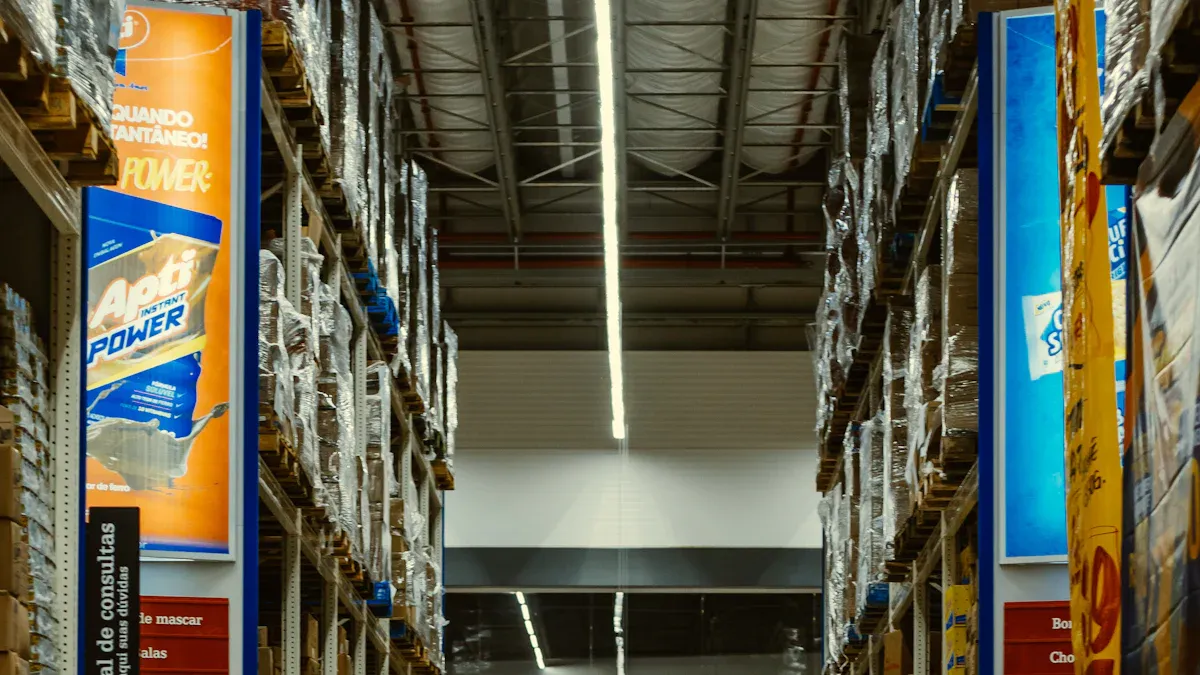
Motion Sensors and Fast Response
Modern lighting solutions use motion sensors to improve both energy efficiency and scanning accuracy in a warehouse. These sensors detect movement and activate lights only when people or vehicles enter a specific area. This approach ensures that lights do not stay on when aisles are empty, which helps reduce energy costs. According to a study by the U.S. Department of Energy, motion sensors can save up to 30% of energy compared to manual switches.
Motion sensors also support barcode lighting solutions by providing instant, reliable illumination. When a worker enters an aisle, the lights reach full brightness in less than a second. This fast response is crucial for tasks like inventory management and barcode scanning, where clear visibility is essential. Reliable lighting helps workers scan barcodes quickly and accurately, reducing errors and improving workflow.
The table below highlights the benefits of motion sensors in lighting solutions:
|
Evidence Type |
Description |
|---|---|
|
Energy Efficiency |
Motion sensors ensure lights are only activated when areas are occupied, reducing unnecessary energy consumption. |
|
Scanning Accuracy |
Reliable illumination is provided in areas where movement is detected, crucial for tasks like inventory management and safety. |
Tip: Motion sensors not only save energy but also extend the lifespan of lighting fixtures by reducing operating hours.
Grouping and Zone Illumination
Grouping and zone illumination represent advanced lighting solutions for warehouses. These systems allow managers to control multiple lights in a specific area as a single unit. When a worker enters one end of an aisle, the entire zone lights up at once. This method ensures that every part of the aisle receives consistent illumination, which is important for barcode scanning and safety.
Zone-based lighting solutions also make it easier to adapt to changing warehouse layouts. Managers can reprogram groups as storage needs change, keeping lighting efficient and effective. Grouping reduces dark spots and shadows, creating a safer and more productive environment for everyone.
Durability and Environmental Challenges in Barcode Scanning Systems
Dust, Moisture, and Ingress Protection
Warehouse environments often expose scanners to dust, moisture, and other harsh conditions. These factors can lead to scanning errors and reduce the overall quality of barcode scanning systems. Dust can settle on barcode labels and scanner lenses, making codes difficult to read and causing errors. Moisture may smudge or fade labels, and it can also corrode scanner components, leading to more scanning errors. To maintain high quality and reduce errors, managers should select scanners with strong ingress protection ratings.
The following table shows how different IP ratings protect scanners in various environments:
|
IP Rating |
Solid Protection |
Liquid Protection |
Usage Description |
|---|---|---|---|
|
IP42 |
Objects >1 mm |
Dripping water (tilted) |
General indoor use |
|
IP54 |
Limited dust |
Water spray |
Retail/logistics environments |
|
IP65 |
Complete dust |
Low-pressure jets |
Industrial settings |
|
IP67 |
Complete dust |
Immersion (1m, 30 min) |
Outdoor/harsh environments |
|
IP68 |
Complete dust |
Continuous immersion |
Extreme conditions |
Tip: Use high-quality labels and durable materials to ensure reliable scanning in areas with dust and moisture.
Heat Management for Consistent Scanning Performance
Temperature extremes can affect the quality and reliability of barcode scanning systems. High temperatures may melt label adhesives, while low temperatures can make labels brittle. Heat can also cause scanner components to overheat, leading to scanning errors and reduced performance. Proper heat management helps scanners maintain consistent operation and reduces errors.
The table below highlights environmental factors that impact barcode scanning systems:
|
Environmental Factor |
Impact on Barcode Scanning Systems |
|---|---|
|
Temperature Extremes |
Labels may degrade or distort; adhesives melt or become brittle. |
|
Moisture |
Labels can smudge or fade; scanners may corrode. |
|
Dust and Dirt |
Labels become obscured; scanning errors increase. |
|
Physical Wear and Tear |
Barcodes distort; errors occur. |
|
UV Exposure |
Inks and adhesives fade; barcode visibility drops. |
Warehouse managers should monitor scanner performance and address heat issues quickly. They can use cooling plates or ventilation systems to keep scanners at optimal temperatures. Regular cleaning and maintenance also help prevent errors caused by dust and moisture. By focusing on quality and durability, managers can reduce scanning errors and keep barcode scanning systems running smoothly.
-
Choose scanners with high ingress protection for dusty or wet environments.
-
Maintain scanner quality by cleaning lenses and replacing worn labels.
-
Monitor temperature and use cooling solutions to prevent errors.
Practical Steps to Improve Barcode Scanning Accuracy
Recommended Lighting Setups for Warehouses
Warehouse managers can boost barcode scanning accuracy by choosing lighting setups that match their operational needs. The right lighting increases visibility and supports efficient workflows. Many warehouses now use LED systems with targeted optics to deliver uniform brightness across aisles and storage racks. These setups remove shadows and dark spots, making it easier for scanners to read codes from any angle.
-
Light-directed picking systems guide workers to the correct items, reducing search time and mistakes.
-
These solutions improve accuracy by showing exactly which products to pick and how many, which helps maintain inventory accuracy.
-
Real-time visibility becomes possible when lighting systems connect to inventory software, updating stock levels as items move.
-
Customizable lighting solutions adapt to different warehouse layouts and item types, supporting a wide range of operations.
A table below summarizes the benefits of recommended lighting setups:
|
Lighting Feature |
Benefit for Barcode Scanning |
Impact on Operations |
|---|---|---|
|
Uniform LED Illumination |
Removes shadows, boosts visibility |
Faster, more accurate scans |
|
Targeted Optics |
Focuses light on work areas |
Increases read rates |
|
Motion Sensors |
Lights up only when needed |
Saves energy, improves safety |
|
Grouped Zone Lighting |
Illuminates entire aisles |
Consistent visibility, fewer errors |
Tip: Appropriate lighting not only improves read rates but also supports worker safety and comfort.
Periodic Testing and Maintenance
Regular testing and maintenance keep barcode scanning systems running at peak performance. Dust, dirt, and wear can lower visibility and cause scanning errors. Warehouse teams should set up a routine to check lighting fixtures, clean scanner lenses, and replace worn-out parts.
-
Inspect lighting solutions for flicker or dimming, which can affect scanner accuracy.
-
Clean scanner windows and lenses to prevent dust buildup that blocks visibility.
-
Test barcode scanning systems in different warehouse zones to ensure consistent performance.
-
Replace faulty bulbs or damaged fixtures right away to avoid dark spots.
A maintenance checklist helps teams track tasks and keep solutions in top shape:
|
Task |
Frequency |
Purpose |
|---|---|---|
|
Clean scanner lenses |
Weekly |
Maintain clear visibility |
|
Inspect lighting fixtures |
Monthly |
Prevent flicker and dimming |
|
Test scanner performance |
Monthly |
Ensure high read rates |
|
Replace worn labels |
As needed |
Avoid scanning errors |
Note: Routine maintenance supports real-time visibility and helps prevent costly downtime.
Hardware Considerations for Barcode Scanning Systems
Selecting the right hardware ensures barcode scanning accuracy in every warehouse environment. Scanners must perform well in both bright and dim areas. Low-light performance is essential for spaces with inconsistent lighting, as it prevents failed scans and delays. A wide scan range allows scanners to read codes from different distances, which is important in large warehouses with tall racks.
Advanced image processing in scanners increases accuracy and speed, even when lighting conditions change. Depth of field matters because barcodes often sit at various heights and angles. Scanners with a long depth of field can read codes from many positions, which supports increasing read rates. The choice of optics and illumination systems also affects how well scanners work in challenging environments.
-
Fixed scanners on conveyor belts collect data automatically, improving tracking and reducing errors.
-
Miniature fixed readers in electronics manufacturing provide online tracking, which shortens identification cycles.
-
High-end scanners with intelligent triggering modules offer reliable solutions for tough conditions.
Warehouse managers should consider seamless integration between scanners, lighting, and inventory software. This integration supports smarter barcode scanning and real-time tracking of goods. By focusing on these hardware features, teams can improve read rates and maintain high barcode scanning accuracy.
Callout: The right combination of lighting improvement, scanner selection, and integration leads to better solutions for tracking and inventory management.
Optimized warehouse lighting improves barcode scanning accuracy and supports efficient operations. Uniformity, stability, and durability each play a key role in long-term performance:
|
Factor |
Contribution to Barcode Scanning Performance |
|---|---|
|
Lighting Uniformity |
Delivers consistent grayscale levels for accurate barcode reading. |
|
Stability |
Provides flicker-free light, reducing errors and improving reliability. |
|
Durability |
Withstands harsh conditions, protecting lighting and maintaining performance. |
Checklist for better scanning:
-
Upgrade to uniform, flicker-free LED lighting.
-
Schedule regular maintenance.
-
Choose durable fixtures for tough environments.
FAQ
What type of lighting works best for barcode scanning in warehouses?
High-efficacy LED lighting with uniform distribution works best. These lights reduce shadows and provide stable brightness. Scanners read barcodes more accurately when lighting stays consistent across all aisles and storage areas.
How does flicker-free lighting improve scanning accuracy?
Flicker-free lighting prevents interference with barcode scanners. Scanners capture images without distortion or missed reads. Stable light helps workers scan faster and with fewer errors.
Why is color rendering important for barcode scanning?
A high Color Rendering Index (CRI) ensures that barcode lines and spaces appear clear and true. Workers can identify color-coded labels more easily. This improves sorting and reduces mistakes.
How can warehouses maintain lighting quality over time?
Regular maintenance keeps lighting systems effective:
Clean fixtures and scanner lenses.
Replace damaged bulbs quickly.
Test lighting and scanning performance each month.